A scheduled workout is missing or on the wrong day
Check assignment, Monday start, phase length, recurrence, content, and calendar context before rebuilding the program.
This checklist is for a planned workout. If you performed a session and cannot find its completed record, use Missing workout troubleshooting.
1. Is it a live program or only a template?
A program/workout template is reusable planning material. It does not have an athlete start date. Open Live Programs and confirm the plan exists there.
If it exists only in Templates, create a live instance and review its dates and assignments.
2. Is the athlete assigned?
Check the live program’s athlete selector. In Coach Mode, choose the intended athlete explicitly. A team grouping alone does not prove that a previous athlete selection included every member.
Copied live programs have an empty athlete list. Reassign the copy before expecting delivery.
3. Does the start date match?
Live programs use Monday starts. Check the actual Start Date, then count the phase’s relative weeks/days from that Monday.
If you expected a Tuesday session, the program can still start Monday while the workout is scheduled for Tuesday in the phase. You do not need a Tuesday program start date to train Tuesday.
4. Is the phase long enough?
Check the phase weeks and order. If someone shortened the phase, later scheduled workouts can be pruned. Confirm the intended week still exists.
5. Check the workout’s Schedule and Repeats on
Open the scheduled-workout editor and inspect both:
- Schedule: specific placements in the phase.
- Repeats on: weekday recurrence.
Review every affected week. A workout placed once does not automatically repeat just because its name says “Weekly”.
6. Is the workout empty?
An empty-workout warning means no exercise content exists in that scheduled item. Add the intended blocks/exercises and prescriptions in the live plan, then preview it again.
7. Check the calendar context
Use the correct organization, athlete, and month. Check that you are opening the colored prescribed item rather than a completed workout on the same day.
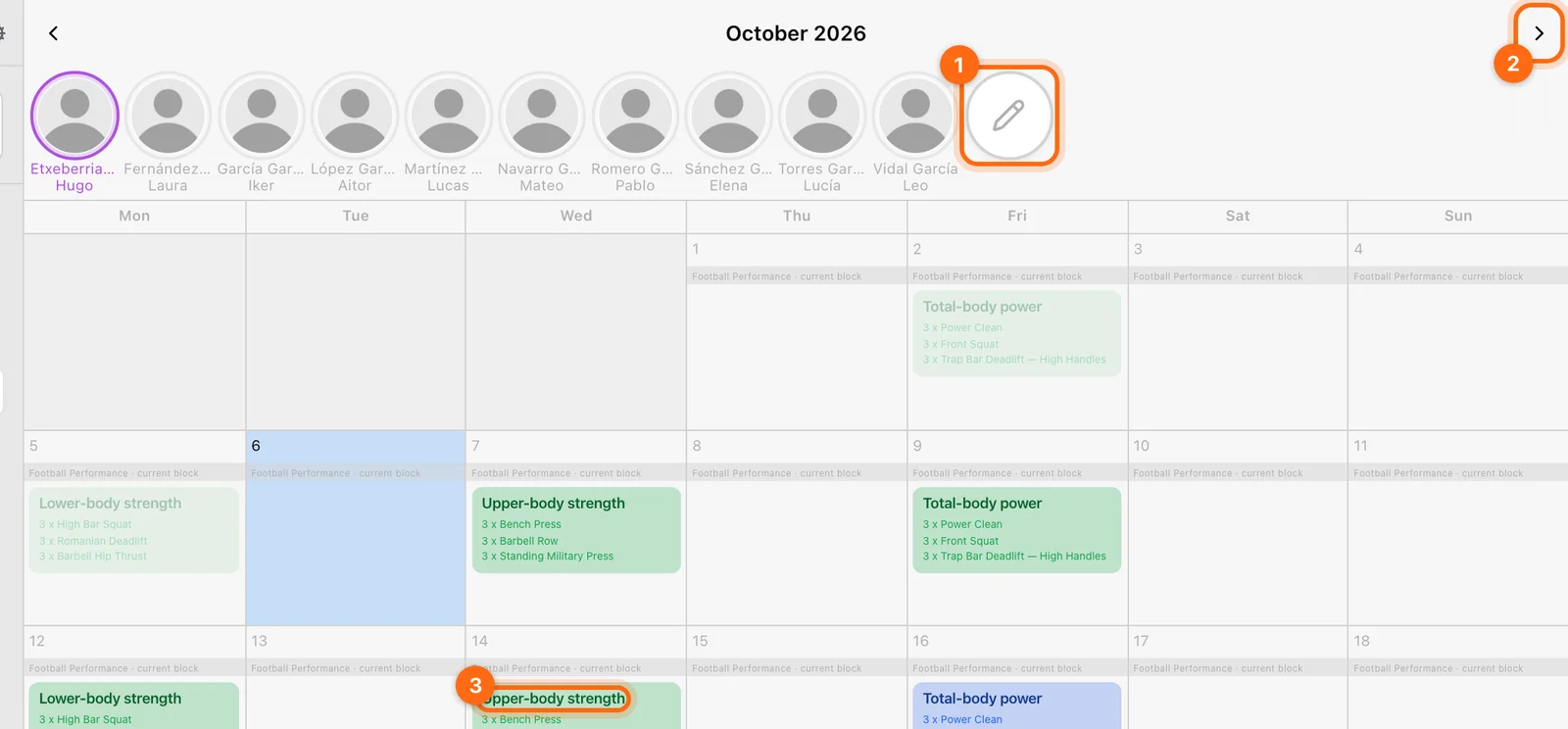
Then use Training → Workout → Calendar to load the session. If a different workout is already active, handle it before expecting a blank start flow.
If two devices disagree
Check their organization and athlete first, then connection and cached page state. Reopen/refresh the calendar after the plan change saves. An offline cached calendar may not include the latest edit.
If the correct live plan still does not deliver the session, contact support with program name, athlete, Monday start, phase/week/day, and the expected calendar date.
My reps, velocity, or 1RM look wrong
Check recording context, units, active hardware, metric, filters, equations, and manual overrides before changing the data.
App, audio, settings, and export problems
Fix unexpected local/cloud settings, silent feedback, unit mismatches, picker problems, stale pages, and delayed exports.