Analyze reaction games with Reaction Insights
Follow an athlete’s reaction time, accuracy, and pace per game configuration, and check whether speed is coming at the cost of mistakes.
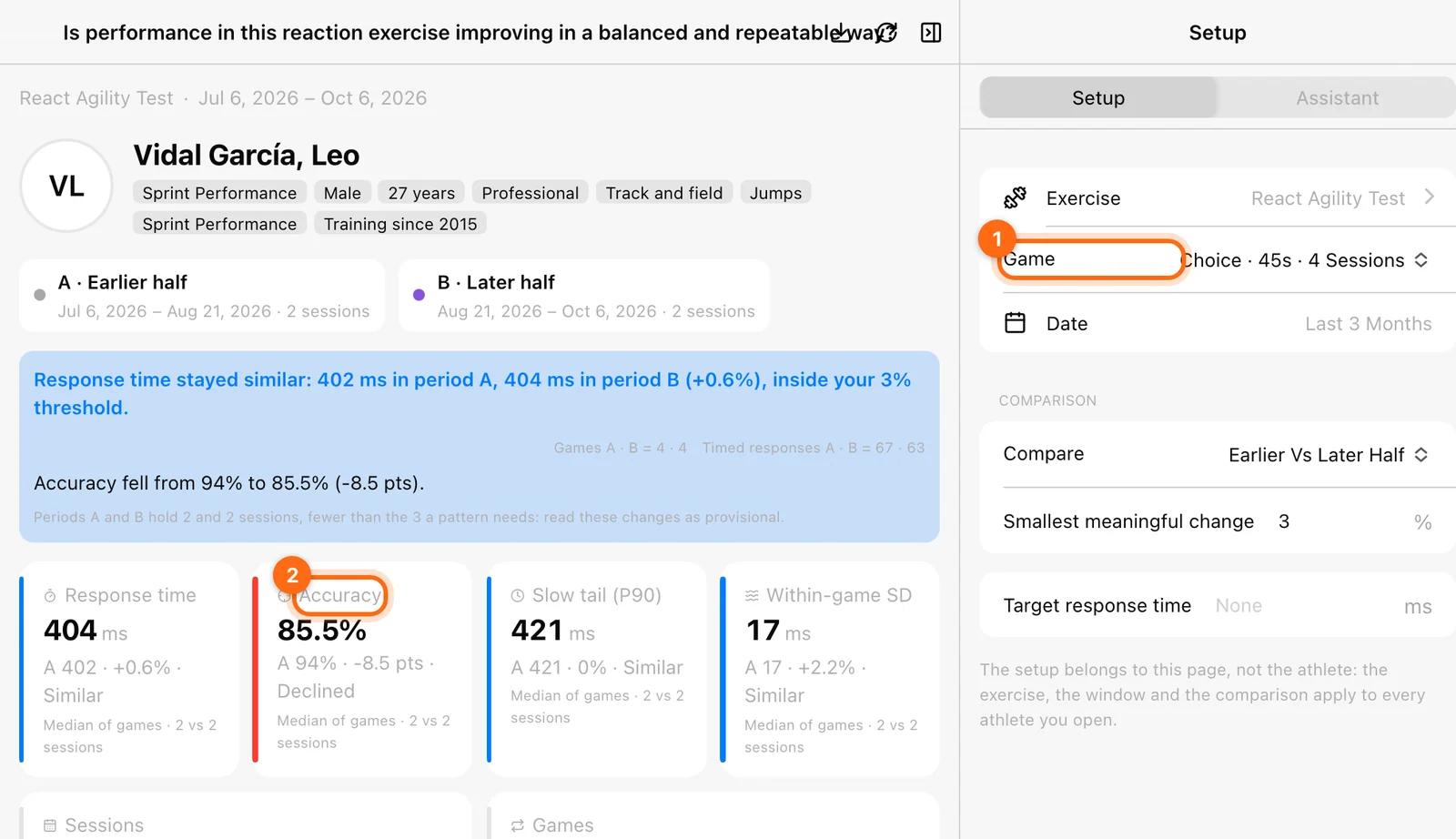
Reaction Insights read one athlete’s reaction games played on the Timing Gates. Open Labs → Insights → Reaction, pick the athlete, then choose the Exercise and Period in Setup.
| Tab | Question |
|---|---|
| Development | Does the athlete respond faster, and as accurately? |
| Speed–accuracy | Is the athlete getting faster at the cost of mistakes? |
Games and configurations
Each set is one game. A configuration is a game type plus its duration, such as Go/No-Go · 30 s. Configurations are never mixed: choose one under Game in Setup. It defaults to the configuration played in the most sessions, and your choice is remembered per athlete and exercise.
| Game | Scored (has accuracy) |
|---|---|
| Light Chase | No: every light reached is a hit. |
| Go/No-Go | Yes: touching a no-go light is an error; leaving it alone is a correct hold. |
| Choice | Yes: touching the wrong light is an error. |
Older sets without a game type show as Unspecified game.
How the numbers are computed
- Reaction time: the mean of the hits, in the unit the Timing Gates show.
- Fastest: the shortest hit.
- Accuracy: the share of events without an error.
- Hits per minute: hits divided by minutes played. Used for unscored games.
A session pools all its games of the chosen configuration.
Development
Choose the Measure: Reaction time (default), plus Accuracy for scored games or Hits per minute for unscored ones.
- Tiles: Best session (fastest, or highest), Typical session (the median of the sessions), Last session, and Volume (sessions, games, hits).
- Timeline: one dot per session, with a band from its best to its worst game. Reaction time is drawn upside down, so faster is up. Click a dot to open that session.
- Session: the games of one session in order, with hits, reaction time, and fastest. Scored games add Held (no-go lights correctly left alone), Errors, and Accuracy.
- Sessions: every session of the period, newest first.
Speed–accuracy
Only Go/No-Go and Choice have an accuracy to trade against speed. For Light Chase the tab explains that the game has no accuracy; read its pace in Development instead.
The period is cut into three by date, and the first third is compared with the last. The verdict reads:
- Faster and at least as accurate
- Faster, but making more mistakes
- More accurate, but slower
- Slower and making more mistakes
- No relevant change between the first and the last third of the period: time changed less than 3 % and accuracy less than 2 points.
- Fewer than 2 sessions in a third of the period: widen the period.
Tiles give the change in reaction time and in accuracy points. The Start against now chart plots each session with accuracy up and faster to the right, darker for later sessions, and an arrow from the first third to the last. The upper-right quadrant is Faster and accurate.
Empty states
“No reaction games in the period” means nothing was logged for that exercise in the period. Widen the period or check the exercise. See Reaction workouts.
Analyze jumps with Jump Insights
Follow an athlete’s jump development, see whether gains come from height or a faster movement, and read rebound quality in 10-5 sets.
Wellness, sleep, and wearables
Combine training data with wellness scores, injuries, and wearable health metrics such as sleep, heart rate, body, and nutrition in Labs boards.