App, audio, settings, and export problems
Fix unexpected local/cloud settings, silent feedback, unit mismatches, picker problems, stale pages, and delayed exports.
Find the symptom below. Check existing active/pending workouts before signing out, reloading after a setting change, or clearing local storage.
A setting changed on every station
Check Use Cloud. With it enabled, you edited the organization’s shared training setup for other devices that also use cloud settings. Turn it off when you need a local station-specific configuration.
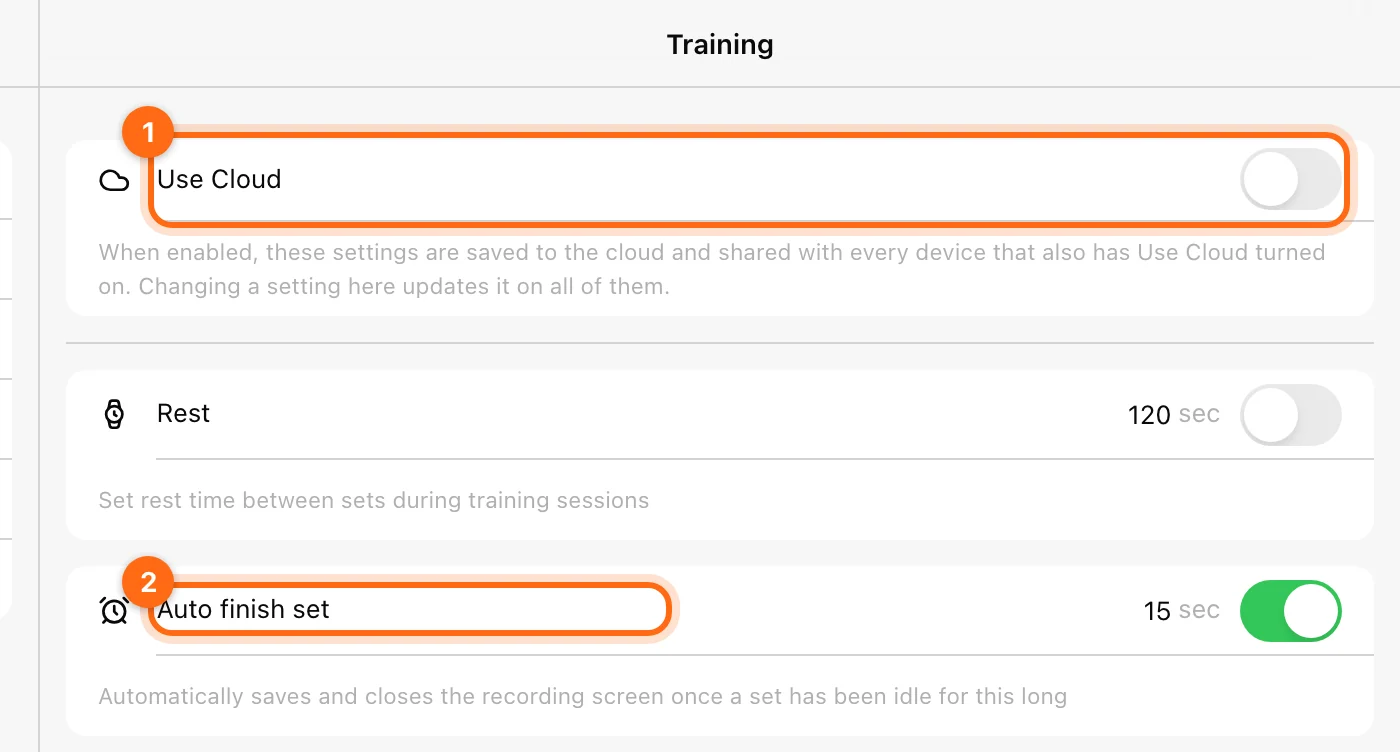
Restore the intended shared value deliberately and check both stations’ organization and connection.
A setting did not change on another station
Compare Use Cloud, organization, and internet access on both devices. The receiving station may still use its local values. Appearance preferences are separate from the training-settings cloud control.
The set closes too soon
Check Auto finish set. It closes the recording screen after the configured idle time without a new repetition. Lengthen it or turn it off for deliberate intra-set pauses. It is different from the Rest timer and velocity-loss feedback.
Velocity Zone or another toggle switches off
That can be expected: Velocity Zone conflicts with Top velocity and Velocity loss. Top velocity can be configured alongside velocity loss, but only one range is active. See Velocity feedback.
Voice or beeps are silent
- Check the relevant Voice / Beeps toggle for the modality.
- Check device volume and audio output, including headphones or an external speaker.
- Confirm the primary metric supports the feedback you configured.
- On web, check browser/site audio restrictions and try after interacting with the recording display.
- Test a short set under the same setup.
Silence alone does not show whether the workout was recorded; check the on-screen set data too.
Units look wrong
Check Account → Metric System override, then the Organization → Metric System default. Check the label beside the specific field. Sprint distance uses m/yd; load uses kg/lb. Do not type a number in one unit while reading another.
I cannot find an exercise
Try a shorter name, check All / Favorites / Custom, and remove Main only if active. Confirm whether you opened the movement library or a saved prescription template list.
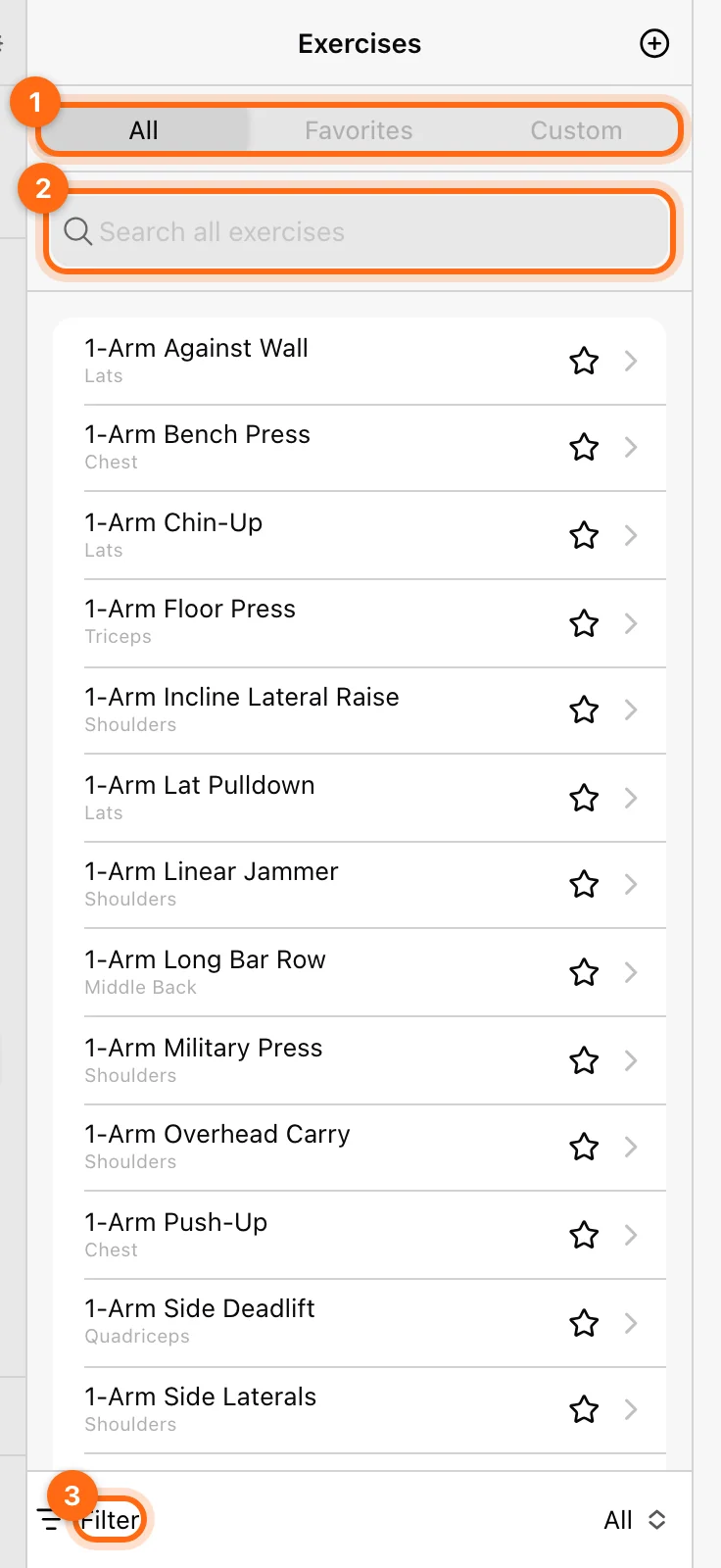
For a modality picker, the app filters compatible exercise types. A general library movement may not be offered in a sprint or reaction-only picker until its type/configuration is appropriate.
A page is blank, slow, or stale
- Check internet access and any offline message.
- Check organization, role, athlete selection, date window, and filters.
- Reopen the page or use its refresh control.
- On the installed app, check for an available update; on web, check a current supported browser.
- Preserve active/pending work before a full reload or sign-out.
Only consider Clear App Storage after uploads are confirmed and basic checks fail. It does not fix a missing role or plan. See Security and storage.
An export did not download
History’s bulk export is emailed to the selected recipient and can take time. A single workout can have a direct download; a single-series export is email-only. Check which workflow you used, the entered email, spam/junk, and any browser pop-up/download block.
See Export data before resubmitting the request.
If it keeps happening
Record the shortest steps that reproduce the problem, the exact screen and error, device/app version, and whether it happens on another device. Send those details through Contact support.
A scheduled workout is missing or on the wrong day
Check assignment, Monday start, phase length, recurrence, content, and calendar context before rebuilding the program.
Labs is empty or the result looks unexpected
Check access, screen size, analysis scope, metric calculations, measurement sources, presets, and dashboard state.