Vitruve Force overview
What Vitruve Force (Encoder V4) measures, what comes in the box, and how to set it up for lifts, jumps, and real-time tracking.
Vitruve Force (Encoder V4) is Vitruve's current linear encoder, released in April 2026. It records velocity-based training like earlier Vitruve encoders. It also calculates force-plate style jump metrics and streams continuous force-time and velocity-time curves, so it works as a general athletic performance device and not only a barbell velocity tool.
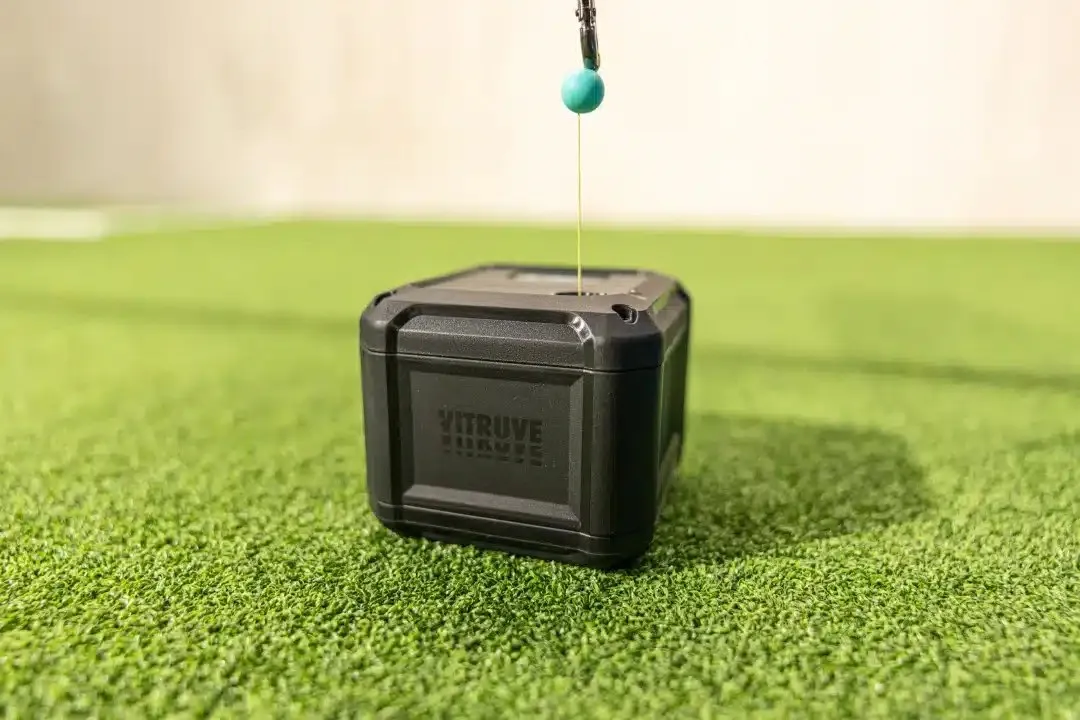
What it measures
- Lifts (VBT): velocity up to 5 m/s, plus range of motion, force, and power for each rep. See Record a VBT workout.
- Jumps: jump height, RSI, modified RSI (mRSI), positive impulse, contraction time, flight time, and related metrics. See Record jump workouts.
- Any tethered movement: live velocity, acceleration, position, force, and power curves for movements such as horizontal jumps, punches, or a landmine press. See Quick Tracking and Realtime Monitor.
Jump workouts and Realtime Monitor need Vitruve Force. The older Vitruve Encoder records VBT only.
Hardware at a glance
- Housing: injection-molded plastic reinforced with glass fiber, for impact resistance.
- Base: four integrated metal plates and neodymium magnets twice as strong as the previous version's. The magnets can hold nearly 10 kg.
- Screen: an OLED screen nearly double the size of the previous model's.
- String: 3 m long, with low tension (about 100 g) for smooth, quiet movement.
- Charging: USB-C.
Full figures are in Vitruve Force specifications.
What is in the box
- Rigid padded carrying case with zipper
- Universal attachment band, for mounting on surfaces that are not magnetic
- Vitruve-branded USB-C cable with a fabric cover
- Heavy-duty Velcro strap
- Instruction manual and a Vitruve sticker
Accessories you can buy separately are listed in Accessories and merch.
Set up for lifting
- Charge the unit with the USB-C cable.
- Fix the base to a metal surface, such as a plate or rack, with its magnets. On a surface that is not magnetic, use the universal band.
- Attach the string to the bar with the Velcro strap.
- Connect the device and confirm that it is Connected and Active.
The placement advice for the older encoder also applies here: keep the unit out of reach of a dropped bar, and route the string so it does not rub the case. See Connect and place your encoder.
Set up for jumps
- Put a belt around the athlete's hips.
- Clip the string to the back of the belt.
- Place the unit on the ground directly behind the athlete.
- Have the athlete stand still before you select Start. The countdown measures their standing baseline.
- After each landing, the athlete must return to the same standing position. A jump is recorded only once they are standing again.
If a jump does not register, pull the string slightly to reset it.
You can use either kind of belt:
- Standard belt: attaches the string with a carabiner or snap hook.
- Magnetic belt: uses a magnetic connector (the Vitruve Magnet Hook). The string snaps off, so detaching between sets is faster than undoing a clasp.
Enter the athlete's body weight when the app asks for it, because force and power depend on it. The full recording steps are in Record jump workouts.
Calibration setting
For Vitruve Force, training settings include Vitruve Force Calibration, with Vitruve (Default) and Vicon. The setting applies only to new measurements, so keep it the same when comparing results. See Training settings.