I cannot sign in or join my organization
Resolve login, verification, invitation, duplicate-account, and legacy-migration confusion before starting over.
Start with the account email you used when registering or receiving the invitation. Your login, organization membership, and coach-created athlete profile are separate things.
If sign-in fails
- Check internet access.
- Verify the email spelling and remove accidental spaces.
- Check the password input, capitalization, and any outdated saved password.
- Read the exact error instead of repeatedly creating new accounts.
- Use Forgot password? if you cannot confirm the current password.
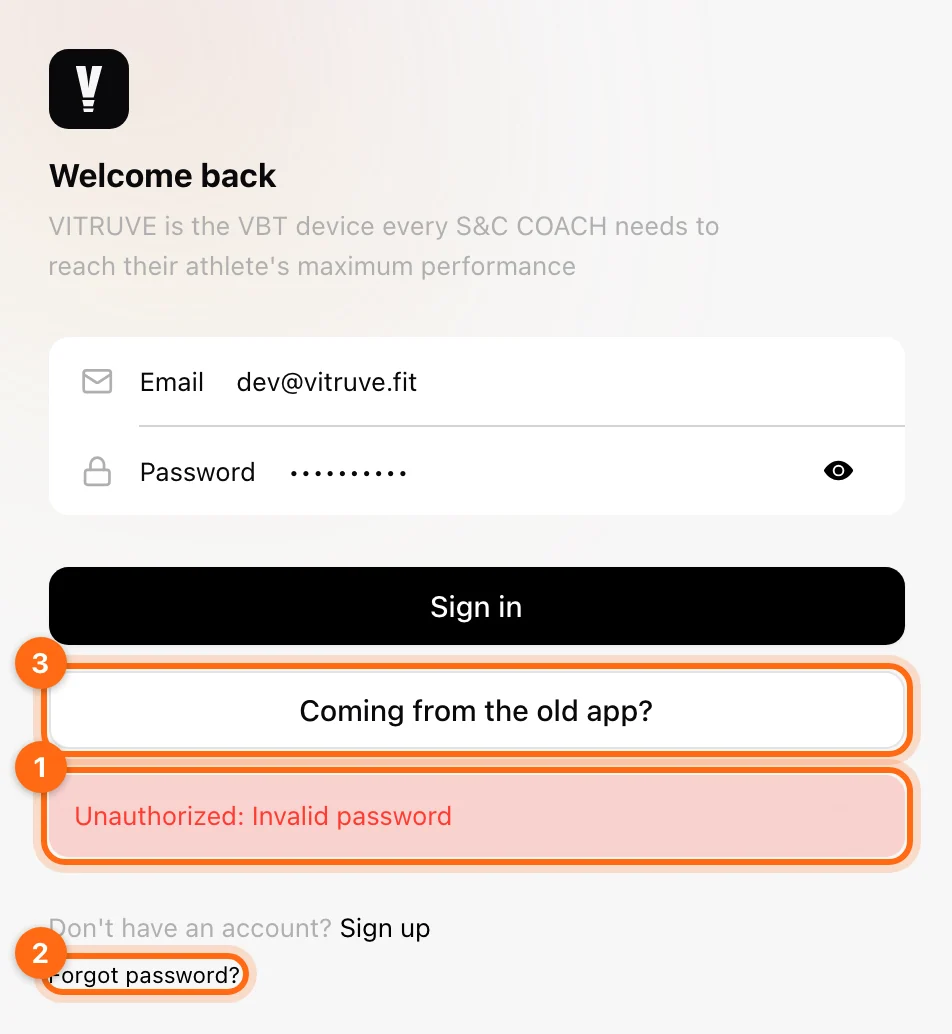
Complete the recovery flow for the existing email and follow its code/instructions. If the app requests email verification, finish that step before expecting organization access.
If a verification or recovery email is missing
Check spam/junk and search for mail from support@vitruve.fit. Verify the email entered in the request. Use the flow’s available resend control when appropriate and follow the currently requested code step.
Do not send support your password or verification/recovery code. Give them the email, request time, and exact screen message.
If you can sign in but cannot see the team
Open Account → Invitations and check for the intended organization. Accept its invitation using the same email that was invited, then select that organization.
Ask the coach whether they created a profile or sent an invitation. Create Athlete can make a supervised, unregistered profile without sending an email or creating a login. The coach can use Send Invitation Email on that existing profile.
If a QR/link invitation fails
Ask the coach to check expiry, maximum joins, and whether the token was deactivated. A new valid invitation is needed once the link is no longer usable. Reinstalling the app does not extend a token’s expiry.
If you joined with the wrong account
Tell the coach which email you used and which email was invited. Ask them to inspect membership before creating another athlete profile. Avoid deleting either account while you are trying to recover the correct relationship and history.
If you used the old Speed4Lifts app
Use Coming from the old app? on the sign-in screen for the migration flow. A newly created Vitruve login does not automatically prove that legacy history was connected.
If you need to change the email
The Account page shows a non-editable email. Contact support for the account/role-transfer process. Changing a display name or profession is not an email change.
Give support both the current and intended email, and say whether the subscription, organization ownership, and past workouts also need to move. Do not delete or recreate the original account before the team checks what can be transferred. For a team Owner handing over access, see Transfer organization ownership.
If you still cannot get in
Send the account email, organization name if known, device/browser, exact error, and whether the problem is sign-in, verification, invitation acceptance, or legacy migration. Keep any local unsynced workout intact on the original device.
Report a broken or faulty device
Rule out setup causes, then report a broken or malfunctioning encoder or Vitruve Force with the details that help support decide on a repair or replacement.
Orders, shipping, and warranty
Find delivery times, customs rules, return and refund terms, warranty coverage, and how to get help with an order.